 MemberPress MailerLite Sync
 Connect MailerLite once
Add your API token, save, and the plugin is ready to resolve available groups inside WordPress.
MemberPress plugin for MailerLite automation
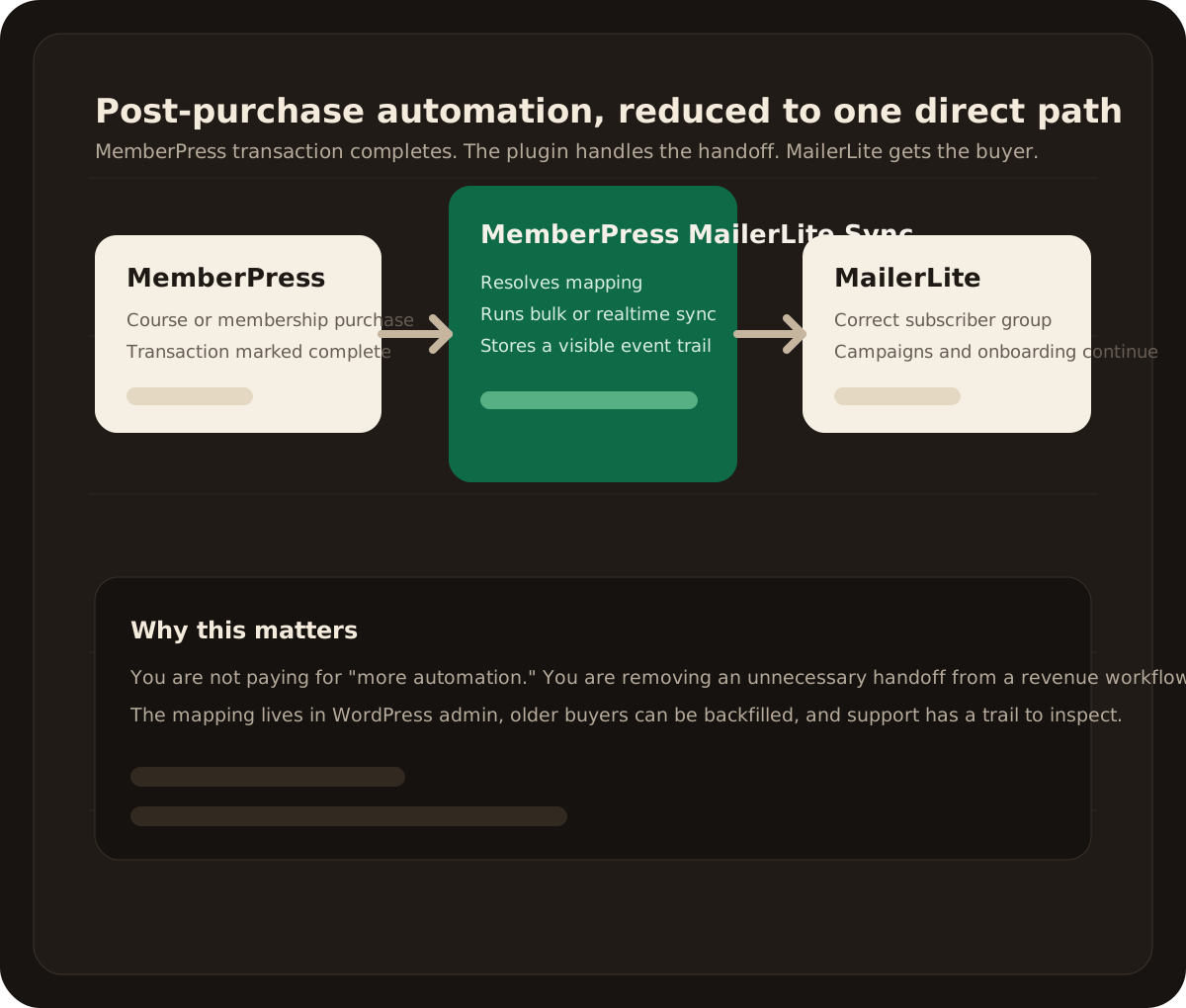
This plugin replaces the fragile MemberPress to Zapier to MailerLite bridge with a direct workflow inside WordPress. Map products, bulk sync older buyers, and stop checking whether the handoff still works.
Built around MemberPress Growth plan constraints
Direct MailerLite API sync instead of a fragile Zapier bridge
Product-to-group mapping handled inside WordPress admin
Bulk sync and event logging for real-world troubleshooting
On paper, MemberPress to Zapier to MailerLite sounds harmless. In practice, it adds one more tool, one more dashboard, and one more point of failure between payment and email onboarding.
MemberPress sale → Zapier task → MailerLite group
MemberPress sale → WordPress plugin → MailerLite group
The point is not more automation. The point is fewer breakpoints for one narrow revenue path.
Add your API token, save, and the plugin is ready to resolve available groups inside WordPress.
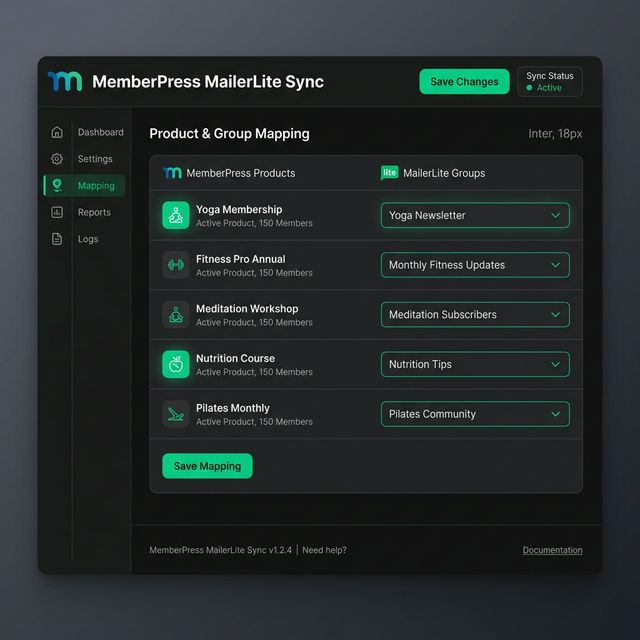
Choose which course, membership, or product should feed which MailerLite group without touching code.
Run bulk sync when launching the plugin or when a new offer is added later.
New buyers land in the right MailerLite group as transactions complete, with a visible trail for support and QA.
Fit and pricing
$29
Lifetime plugin access with 30 days of email support.
WordPress site owners already using MemberPress and MailerLite who want purchase-based subscriber syncing without relying on Zapier for this one workflow.
If Zapier is doing many jobs for you, keep it. If it is only there to move buyers from MemberPress to MailerLite, this plugin is usually simpler and cheaper to maintain.
Yes. That constraint is part of the product story. The plugin is positioned for site owners who want direct syncing without upgrading purely for this integration path.
Most site owners only revisit the mapping screen when they launch a new product or want to bulk sync an older audience into a new MailerLite group.